Introduction
Getting new customers is not always easy for a small business. You may have a good product or service. But people still need to find you.
This is where Google Ads for Small Businesses can help.
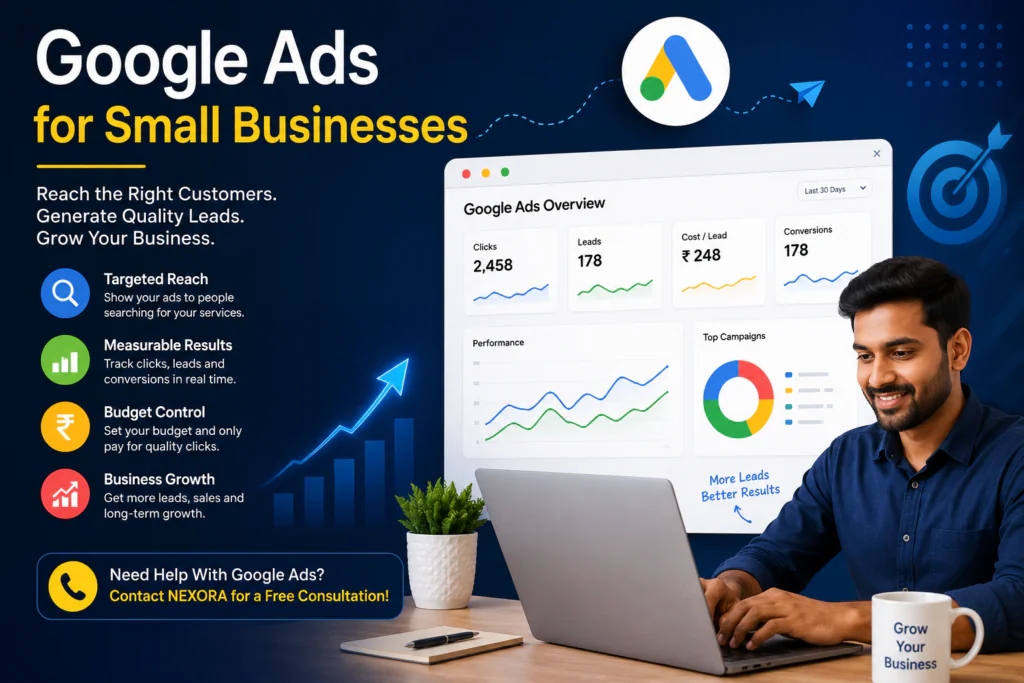
Google Ads lets your business appear when people search for products or services like yours. For example, a person may search for “best salon near me” or “digital marketing agency in India.” A business can show an ad for these searches.
The good part is that you do not have to wait for people to find you. You can reach people who are already looking for what you offer.
But running ads is not just about spending money. You need the right keywords, ads, audience, budget, and landing page.
In this guide, we will explain how Google Ads works and how a small business in India can use it to get more leads.
Table of Contents
What Are Google Ads?
Google Ads is an online advertising platform from Google.
It helps businesses show ads to people who search for related products or services.
For example, imagine you run a home cleaning business in Delhi.
Someone searches:
“home cleaning service in Delhi”
Your ad can appear near the top of the search results.
If the person clicks your ad, they can visit your website or contact your business.
This makes Google Ads useful for businesses that want quick traffic and leads.
Google Ads is an online advertising platform from Google. You can learn more about how it works on the official Google Ads website
Why Google Ads Helps Small Businesses
Small businesses often have limited time and money.
You need to know where your marketing budget is going. Google Ads can help you reach people with a clear need.
Google Ads for Small Businesses can help you reach people who are already searching for your products or services.
Here are some key benefits.
1. Reach People Who Are Searching
Google Ads can target people based on what they search for.
This means you can reach people who may already want your product or service.
For example:
- “AC repair near me”
- “best dentist in Noida”
- “web designer in Delhi”
- “wedding photographer in India”
These searches show a possible buying need.
2. Start With a Small Budget
You do not always need a huge budget.
A small business can start with a controlled daily budget. You can then check the results and make changes.
However, a small budget still needs good planning.
Poor keywords or weak ads can waste money quickly.
3. Get Faster Results
SEO can take time.
Google Ads can start bringing visitors soon after a campaign is approved and running.
This can be useful when you want leads for a new service, offer, or business.
4. Measure Your Results
One major benefit of digital advertising is tracking.
You can measure things such as:
- Clicks
- Impressions
- Leads
- Cost per lead
- Conversion rate
- Search terms
- Ad performance
This helps you understand where your money is going.
Ads for Small Businesses can help you reach customers who are already searching for your products or services.
How Google Ads Works
Google Ads for Small Businesses works best when your keywords, ads, and landing page all match the customer’s search.
Google Ads for Small Businesses works best when your keywords, ads, and landing page match the customer’s search.
The process is simple.
First, you choose what you want to promote.
Then, you select keywords that your customers may search for.
Next, you create an advertisement.
You also choose your target location and budget.
When someone searches for a related term, Google decides which ads are shown.
Your ad may then appear in the search results.
But getting clicks is only one part of the process.
The visitor should also find a useful page after clicking the ad.
For example, if your ad says:
“Get a Free Website Audit”
the landing page should clearly explain the audit and provide an easy way to request it.
A good ad and a good landing page should work together.
A successful Google Ads for Small Businesses campaign needs the right keywords, ads, and landing page.
How Much Do Google Ads Cost for a Small Business?
There is no single Google Ads price for every business.
The cost depends on many factors.
These include:
- Industry
- Keywords
- Competition
- Location
- Target audience
- Ad quality
- Campaign type
- Landing page quality
Some keywords may be cheaper. Others can be expensive because many businesses are competing for them.
For this reason, do not choose your budget only by looking at what another business spends.
The cost of Google Ads for Small Businesses depends on your industry, keywords, location, and competition.
Instead, start with a budget you can manage.
Then track your leads and results.
For example, if you spend ₹10,000 and generate 20 good leads, your average cost per lead is ₹500.
But the real question is not only the cost per lead.
You should also ask:
How many leads became customers?
A ₹500 lead may be valuable if it brings a customer worth ₹10,000.
How to Choose the Right Google Ads Budget
Choosing a Google Ads budget can feel confusing at first.
You do not need to start with a very large budget. Start with an amount your business can manage comfortably.
Start Small and Test
A small business can begin with a test budget.
For example, you could set a daily budget and watch the results for a few weeks. Look at clicks, enquiries, and conversions.
Do not judge the campaign only by the number of clicks.
Think About Your Customer Value
Ask yourself one simple question:
How much is one new customer worth to my business?
For example, if one new customer usually brings ₹5,000 in revenue, spending ₹500 to get a qualified lead may make sense if some leads become customers.
Your numbers will depend on your business.
Increase the Budget Slowly
If your campaign is bringing good leads, you can increase the budget step by step.
Do not double the budget without checking the results.
A better approach is to:
- Start with a test budget.
- Track your leads.
- Find your best keywords.
- Remove poor-performing keywords.
- Improve your ads and landing page.
- Increase the budget when results are stable.
This approach can help you control your spending while learning what works.
Google Ads for Small Businesses should focus on getting valuable customers, not simply spending more money.
How to Create a Google Ads Campaign
If you are new to Google Ads, follow these basic steps.
Step 1: Choose One Clear Goal
Do not try to achieve everything at once.
For lead generation, your goal could be:
Get more calls, form submissions, or WhatsApp enquiries.
Step 2: Know Your Customer
Think about your ideal customer.
Ask:
- What do they need?
- What problem do they have?
- What are they searching for?
- Where are they located?
- What makes them choose one business over another?
These answers help you build better campaigns.
Step 3: Choose the Right Keywords
Choose keywords that match your service.
For example, a website design company may target:
- website development services
- business website designer
- website design company
- affordable website design
Do not add every keyword you can think of.
Focus on keywords that can bring real customers.
Step 4: Write a Clear Ad
Your ad should quickly tell people what you offer.
Include:
- Your service
- A useful benefit
- A clear reason to choose you
- A call to action
For example:
Business Website Design
Get a Fast, Mobile-Friendly Website
Book a Free Consultation Today
Keep the message simple.
Step 5: Build a Good Landing Page
Do not always send every ad visitor to your homepage.
Create a page that matches the advertisement.
The page should have:
- A clear headline
- Your main offer
- Benefits
- Trust information
- Testimonials or work examples
- A simple contact form
- A clear CTA
If the landing page is confusing, you may lose valuable leads.
How to Choose the Right Google Ads Budget
Choosing a Google Ads budget can feel confusing at first.
You do not need to start with a very large budget. Start with an amount your business can manage comfortably.
Start Small and Test
A small business can begin with a test budget.
For example, you could set a daily budget and watch the results for a few weeks. Look at clicks, enquiries, and conversions.
Do not judge the campaign only by the number of clicks.
Think About Your Customer Value
Ask yourself one simple question:
How much is one new customer worth to my business?
For example, if one new customer usually brings ₹5,000 in revenue, spending ₹500 to get a qualified lead may make sense if some leads become customers.
Your numbers will depend on your business.
Increase the Budget Slowly
If your campaign is bringing good leads, you can increase the budget step by step.
Do not double the budget without checking the results.
A better approach is to:
- Start with a test budget.
- Track your leads.
- Find your best keywords.
- Remove poor-performing keywords.
- Improve your ads and landing page.
- Increase the budget when results are stable.
This approach can help you control your spending while learning what works.
Google Ads for Small Businesses should focus on getting valuable customers, not simply spending more money.
Common Google Ads Mistakes
Many small businesses lose money because of simple mistakes.
Businesses using Google Ads for Small Businesses should avoid spending money on unrelated searches.
Businesses using Google Ads for Small Businesses should avoid spending money on unrelated searches.
Mistake 1: Targeting Everyone
If you serve customers in one area, you may not need to target the whole country.
Choose locations based on where your customers are.
Mistake 2: Using Broad Keywords Without a Plan
Broad targeting can sometimes bring irrelevant searches.
Review your search terms regularly.
Add irrelevant terms as negative keywords when needed.
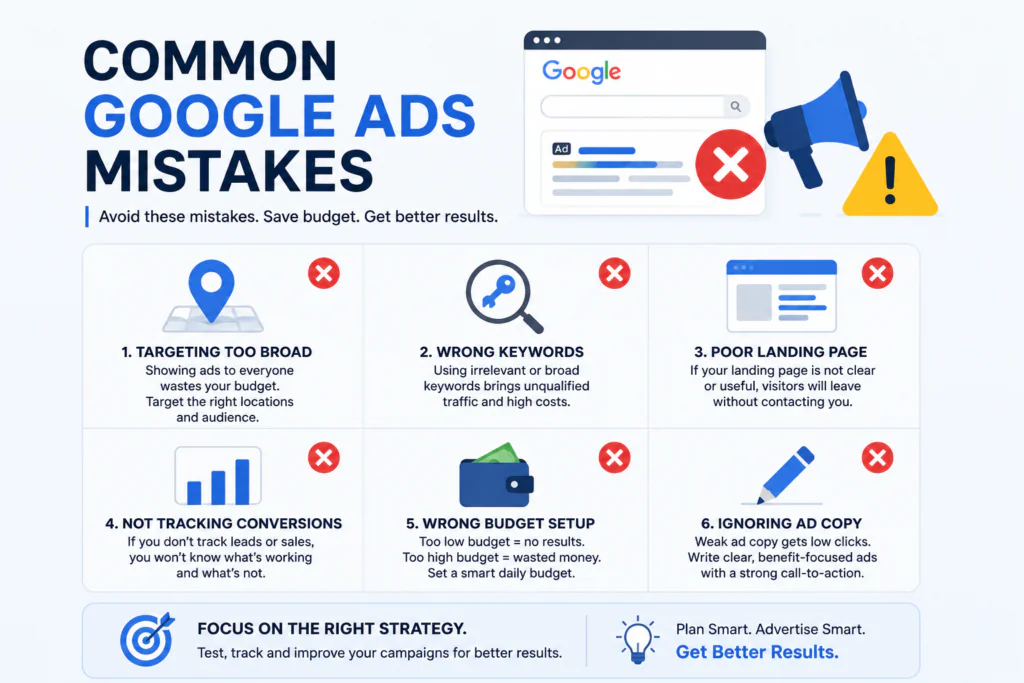
Mistake 3: Sending Traffic to a Poor Page
A good ad cannot fix a bad landing page.
Make sure your page loads well and clearly explains your offer.
Mistake 4: Checking Only Clicks
Clicks look good on a report.
But clicks do not always mean sales.
Track leads and conversions instead.
Mistake 5: Stopping Too Quickly
A campaign may need testing.
You may need to improve keywords, ads, locations, and landing pages.
Give your campaigns enough time to collect useful data before making major decisions.
Tips for Better Google Ads Results
Here are some simple tips for Google Ads for Small Businesses.
Focus on High-Intent Searches
Look for searches that show buying intent.
For example:
“buy office chair online”
usually shows stronger intent than:
“office chair ideas.”
The first search is closer to a purchase.
Track Every Lead
Use conversion tracking.
Know which campaigns and keywords bring enquiries.
This helps you spend more on what works.
Test Different Ads
Do not depend on one message.
Test different headlines and benefits.
One ad may perform better than another.
Improve Your Offer
Sometimes the problem is not the advertisement.
The offer may not be strong enough.
You could test:
- Free consultation
- Free audit
- Limited-time offer
- Free estimate
- First-order discount
Choose an offer that makes sense for your business.
When Should a Small Business Use Google Ads?
Google Ads can be useful when:
- You need leads quickly.
- People already search for your service.
- You have a clear offer.
- You can track conversions.
- You have a useful landing page.
- You have a manageable advertising budget.
It can work alongside SEO and social media marketing.
Google Ads for Small Businesses can be a good choice when customers are already searching for your products or services online.
SEO can help build long-term traffic.
Google Ads can help you reach potential customers while your organic traffic grows.
Google Ads for Small Businesses can help you reach people who are already looking for your products or services.
FAQs
1. Is Google Ads good for small businesses?
Yes. Google Ads can be useful for small businesses when campaigns are planned around the right audience, keywords, budget, and goals.
2. How much should a small business spend on Google Ads?
There is no fixed amount. Start with a budget that your business can afford and track the results. Increase spending only when the campaign shows good results.
3. Can Google Ads generate leads?
Yes. Google Ads can generate leads through calls, forms, website enquiries, and other conversion actions. Proper conversion tracking is important.
4. Is Google Ads better than SEO?
They serve different purposes. Google Ads can provide faster visibility, while SEO can help build long-term organic traffic. Many businesses can benefit from using both.
5. Should I run Google Ads myself?
You can start yourself if your campaign is simple. But professional management can help when you have a larger budget, many keywords, or limited time to manage campaigns.
A good Google Ads for Small Businesses strategy focuses on useful leads, not just website clicks.
Conclusion
Google Ads for Small Businesses can be a powerful way to reach potential customers in India.
A good Google Ads for Small Businesses strategy focuses on getting useful leads instead of only getting clicks.
But success does not come from simply turning on an advertisement.
You need the right keywords. You need clear ads. You need a useful landing page. Most importantly, you need to track leads and sales.
Start small. Test your campaign. Learn from the data. Then improve what works.
If you want help creating a Google Ads strategy for your business, NEXORA can help you plan a lead-focused campaign.
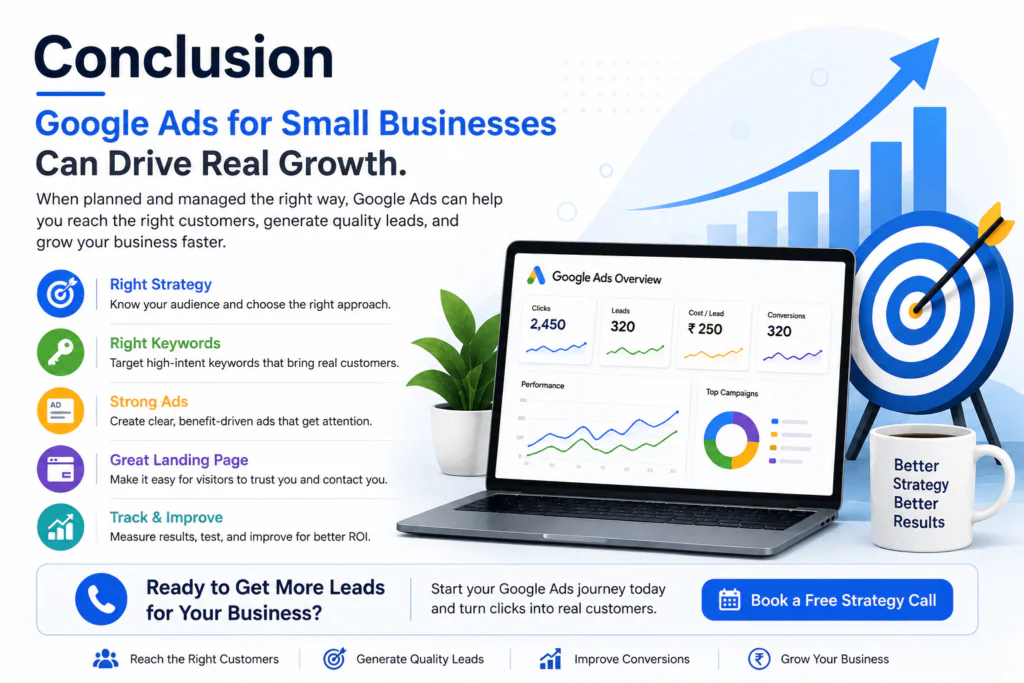
Ready to Get More Leads?
Contact NEXORA for a free consultation or request a marketing strategy call.
We can help you understand your target audience, choose the right campaign approach, and build a simple plan focused on getting real business enquiries.
With the right strategy, Google Ads for Small Businesses can become a useful way to bring targeted traffic and new leads to your business.
A good Google Ads for Small Businesses strategy focuses on getting useful leads instead of only getting clicks.